Cash-out, in the real app

Choose how your loan reaches everyday life.

A funded loan appears in your Base Account as USDC. Moodeng then shows the available provider routes, what each one does, and the network details you need before moving anything.

  • Moodeng cash-out fee: $0
  • You choose the external provider
  • Base-network warnings stay visible
Current Moodeng cash-out selector showing Coins.ph, GCrypto, PDAX, Binance, and Moneybees

Captured from the current product preview.

What is actually happening

One balance, one provider you choose, one destination you recognize.

Base AccountYour funded USDC
External providerYou review and choose
PesosBank, GCash, or Maya

Moodeng explains the route. The external provider handles its own verification, rate, transfer instructions, and payout.

The current product flow

The screen changes with the route you choose.

These are the actual preview states from the product codebase. The app starts with a choice, then gives provider-specific instructions instead of treating every route as the same.

01

Choose the route you understand.

The real selector shows several ways to continue. In the Philippine preview, Coins.ph is the recommended route, while GCrypto, PDAX, Binance, and Moneybees remain visible alternatives.

  • Compare destination and expected timing.
  • Open the route before sending any USDC.
  • Provider availability can change by country.
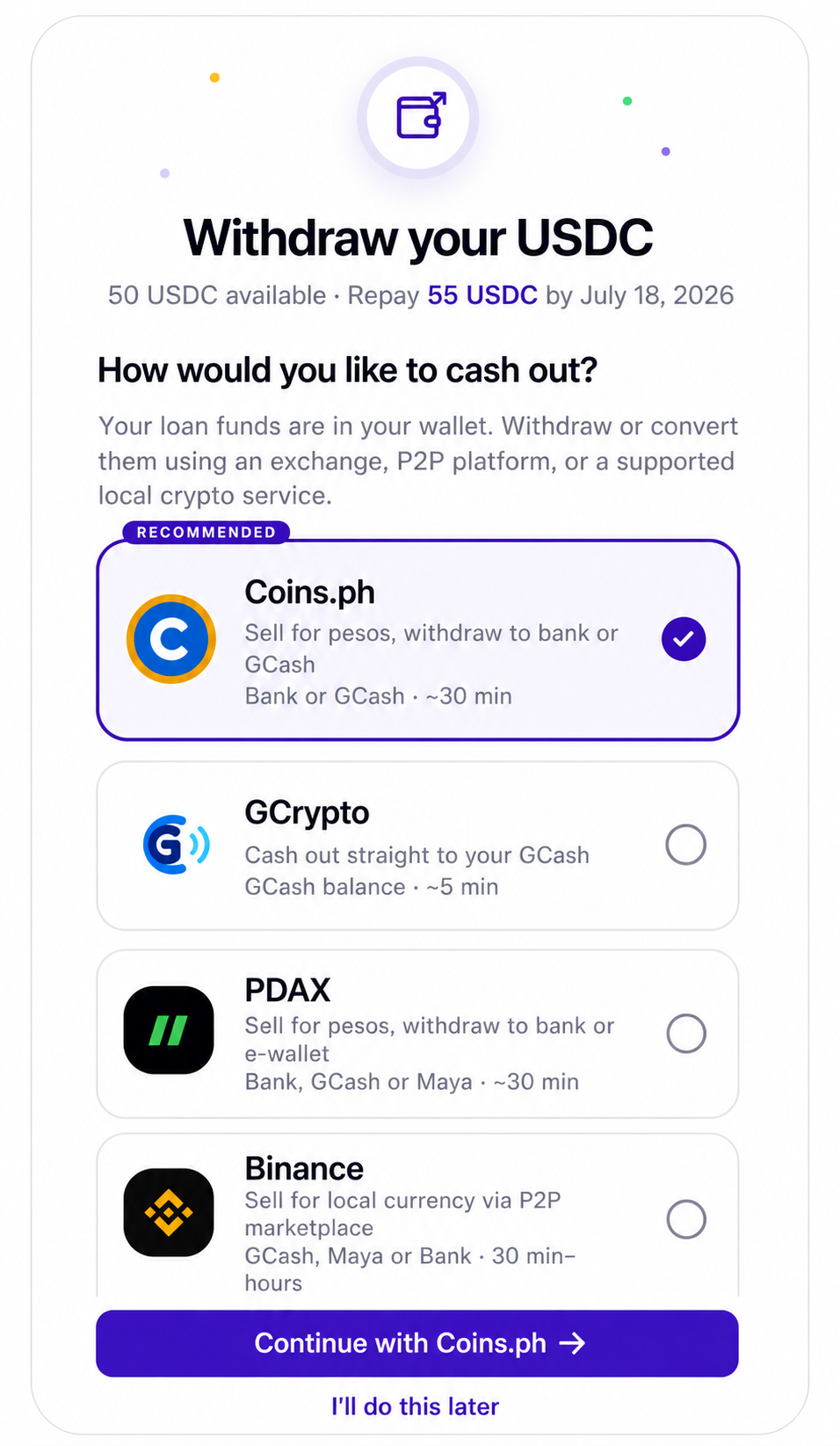
Current Moodeng cash-out selector with provider choices and expected destinations
Actual provider selector
02

Follow instructions written for that provider.

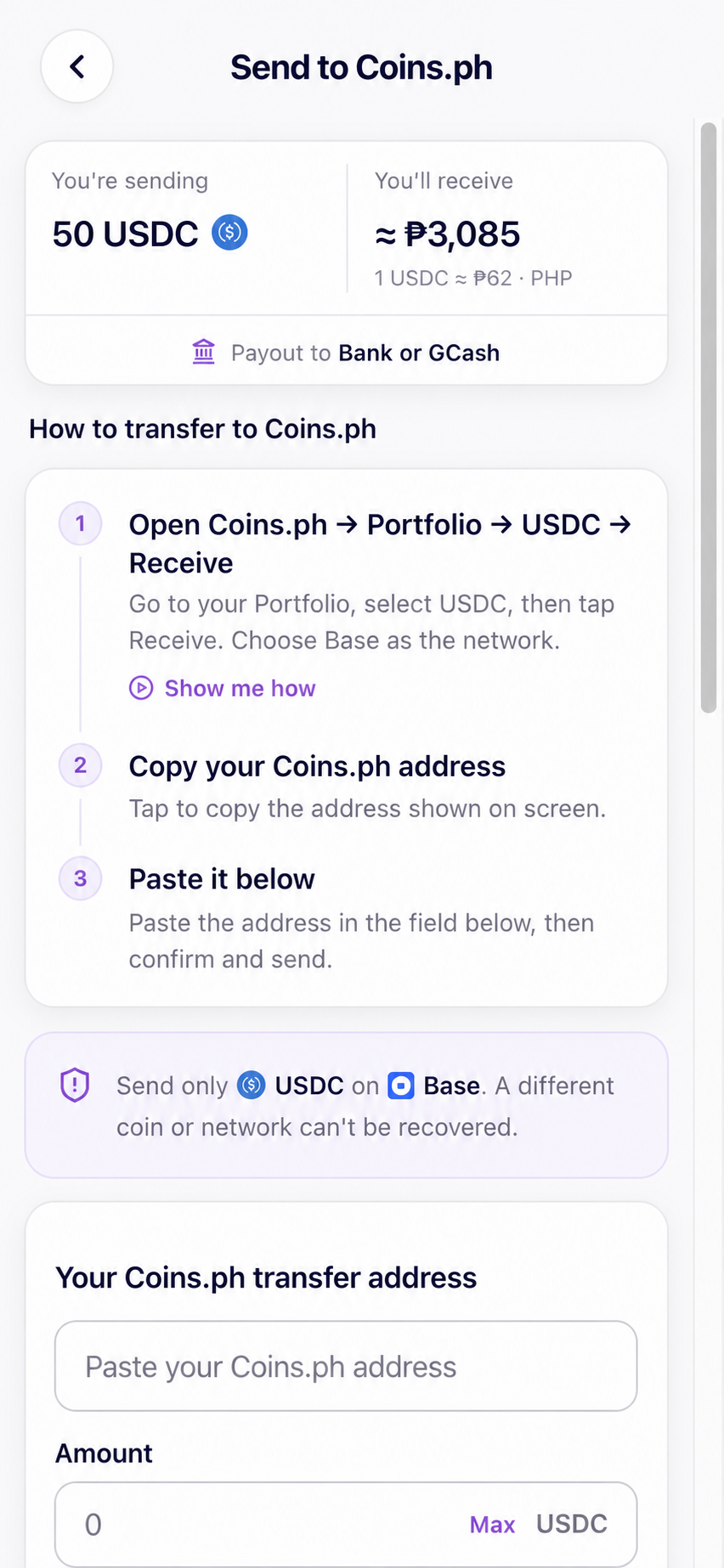
The Coins.ph flow shows the estimated pesos, the destination, where to find a receiving address, and exactly which network to select. This is where a real product screen is much more useful than a generic crypto diagram.

USDC on Base only. A different coin or network may not be recoverable.

Current Moodeng Coins.ph transfer guide with a peso estimate and Base-network instructions
Actual Coins.ph instructions
03

Know when Moodeng steps out of the transaction.

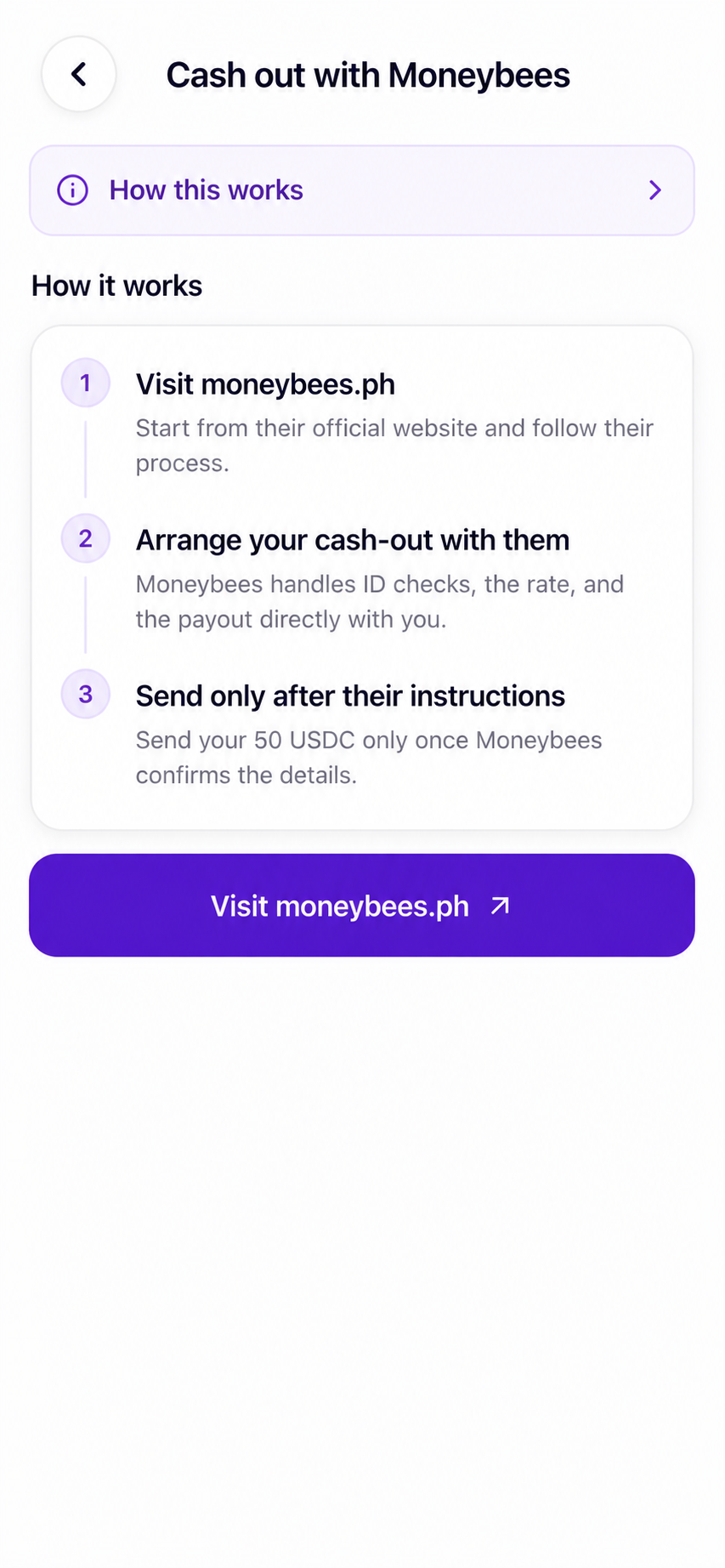
Moneybees appears as an external option, not an integrated Moodeng checkout. The product sends you to its official site and tells you to wait for Moneybees’ instructions before sending.

  • Moneybees handles its own ID checks and rate.
  • You transact with Moneybees directly.
  • Send only after the provider confirms the details.
Current Moodeng Moneybees screen explaining that it is an external cash-out option
Actual Moneybees handoff
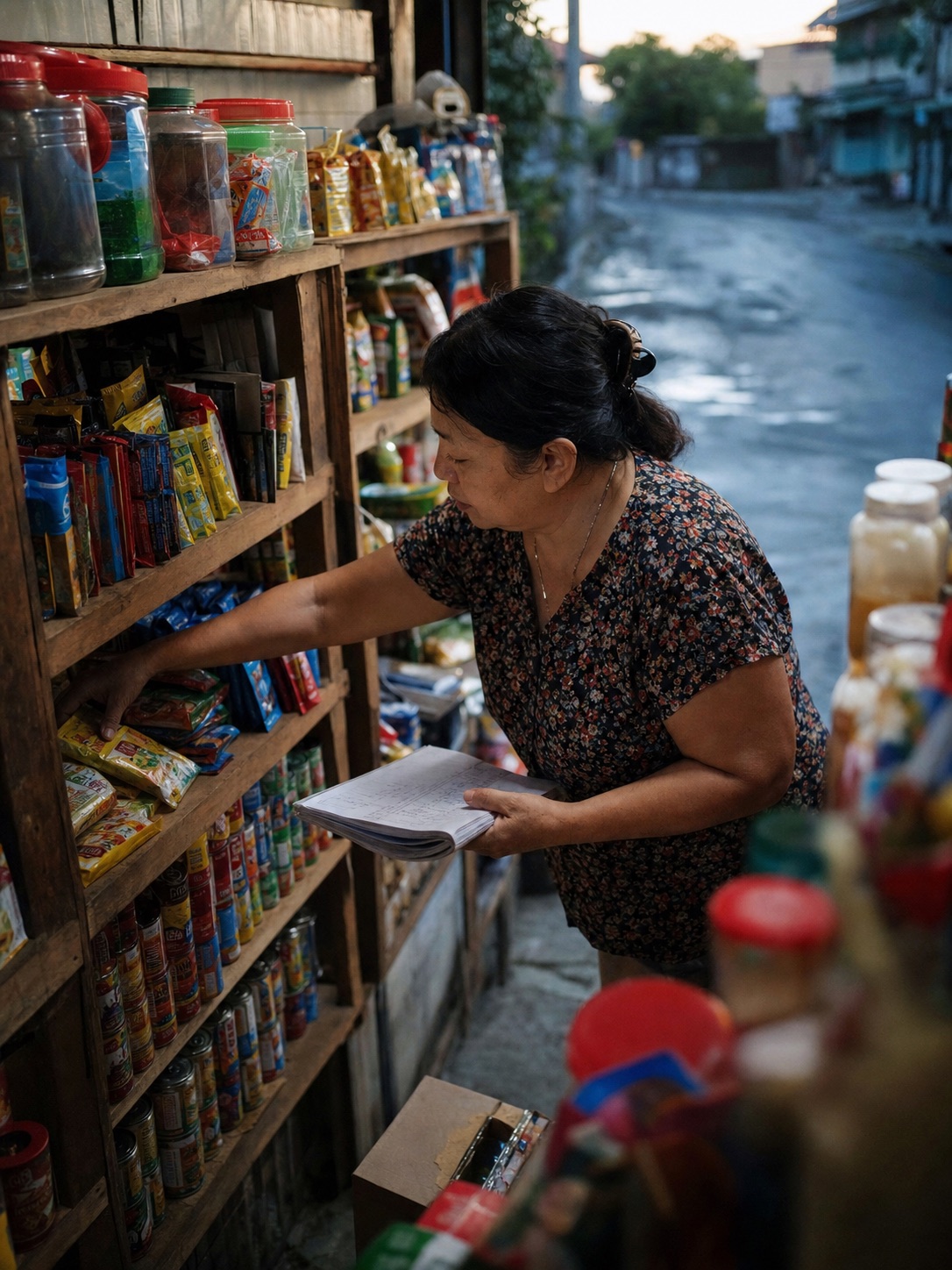
Illustrative scene of a neighborhood shop owner restocking shelves at dawn
Illustrative moment: restock today, sell tomorrow.

Why the last step matters

The point is not USDC. It is money where life happens.

Medicine, a repair, school, or stock for tomorrow usually needs pesos. The cash-out guide should help a first-time user cross that last technical gap without pretending every provider works the same way.

Before you send

Read the provider’s live details, then check the receiving account.

Moodeng adds no cash-out fee. An external route can have its own rate, fee, minimum, verification, or processing time. Keep the provider confirmation until the pesos are visible where you expected them.

Cash-out questions

Pause before you move it.

The app should make each route understandable. These are the questions worth checking every time.

What is a Base Account?

It is the account where the funded USDC appears inside the Moodeng flow. The app uses Base and Coinbase-related infrastructure to support the digital-dollar transfer.

What if I do not use Coins.ph?

The current selector can also show GCrypto, PDAX, Binance, and Moneybees. Moneybees is presented as an external option that you continue on its official site. Use a route you understand and can access; availability can change.

Does Moodeng charge to cash out?

Moodeng adds no cash-out fee. External providers can have their own current terms, conversion rates, or charges, so review the live route before confirming.

Why does the loan use USDC?

USDC is a digital-dollar format that can move through the app’s payment infrastructure. You cash it out to pesos for everyday use and move pesos back to USDC when repaying.

Next step

See how pesos move back when it is time to repay.

The repayment guide covers provider conversion, partial payments, and what happens if the week gets hard.