Repayment, in the real app

Choose what you can pay. See exactly what is left.

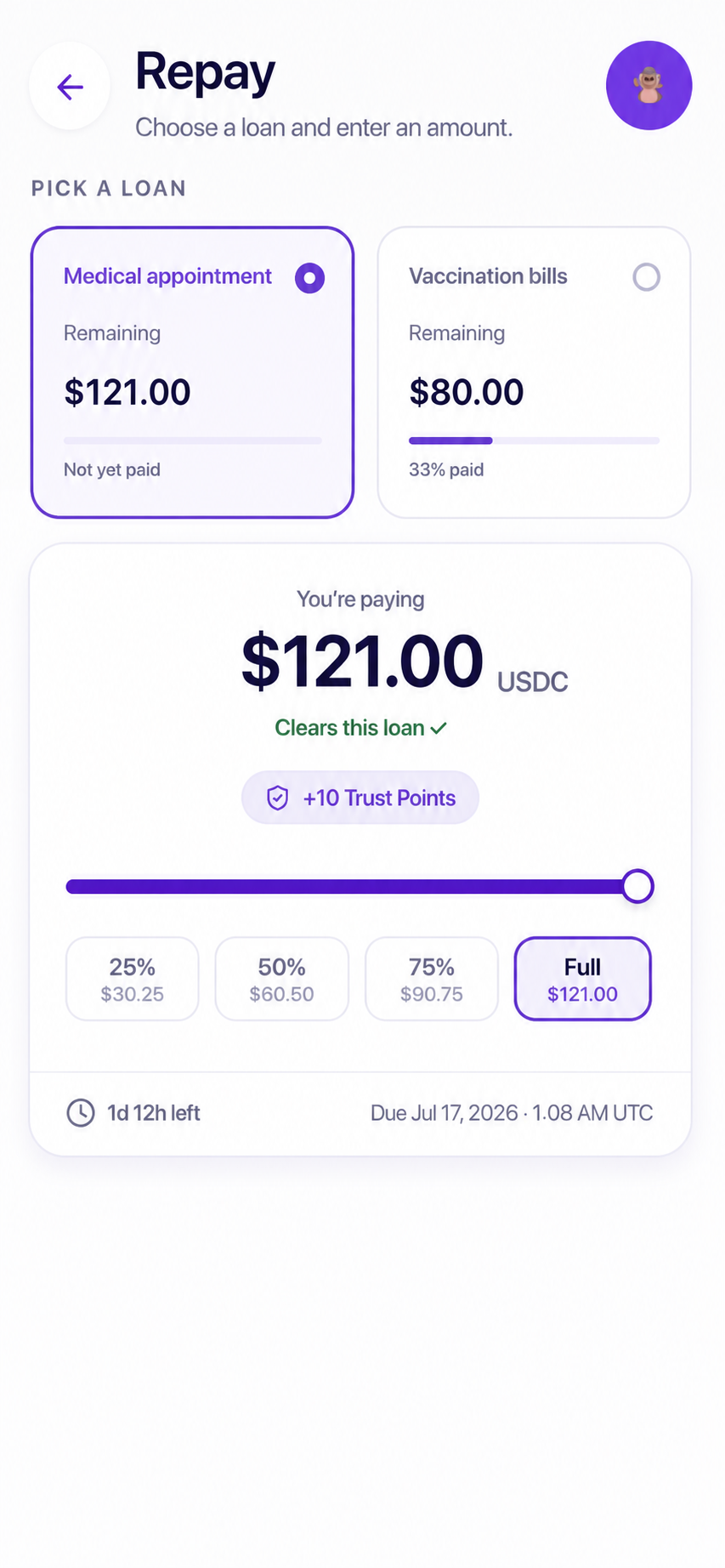
Pick the loan, add USDC to your Base Account if needed, then use the slider or quick amounts. The screen shows the due date, the remaining balance, and the Trust Points before you confirm.

  • Pay early, in parts, or in full
  • Moodeng repayment fee: $0
  • See what remains before confirming
Current Moodeng repayment screen showing loan selection, a repayment slider, quick amounts, due date, and Trust Points

Captured from the current product preview.

The return route

Bring USDC back to the same Base Account, then choose the payment.

Your pesosStart where you bank
External providerBuy or withdraw USDC
Moodeng repayPart or full

External providers can charge their own fee. Moodeng shows its repayment fee as free and applies the amount you confirm to the selected loan.

The current product flow

The app separates funding the wallet from paying the loan.

That distinction matters. First you move USDC to the Base Account. Then you decide how much of that balance to apply to a specific loan.

01

Pick the loan before moving money.

The repayment screen can show more than one active loan. Select the one you mean to repay, then check its remaining amount, previous payments, and due date.

  • Each loan keeps its own remaining balance.
  • Partial progress stays visible.
  • The selected loan controls the next steps.
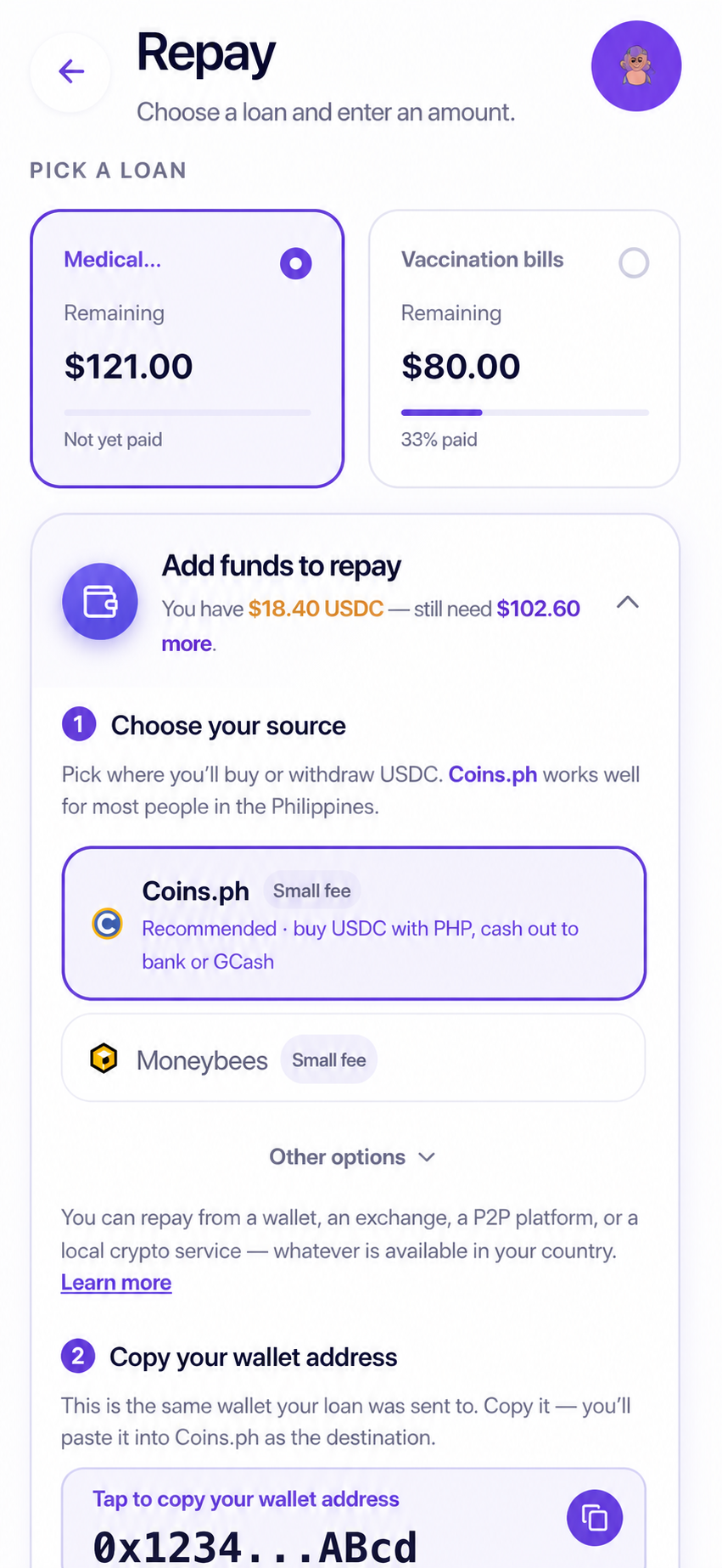
Current Moodeng repay screen showing two loans and the expanded add-funds source selector
Actual loan and funding-source selector
02

Add USDC to the same Base Account.

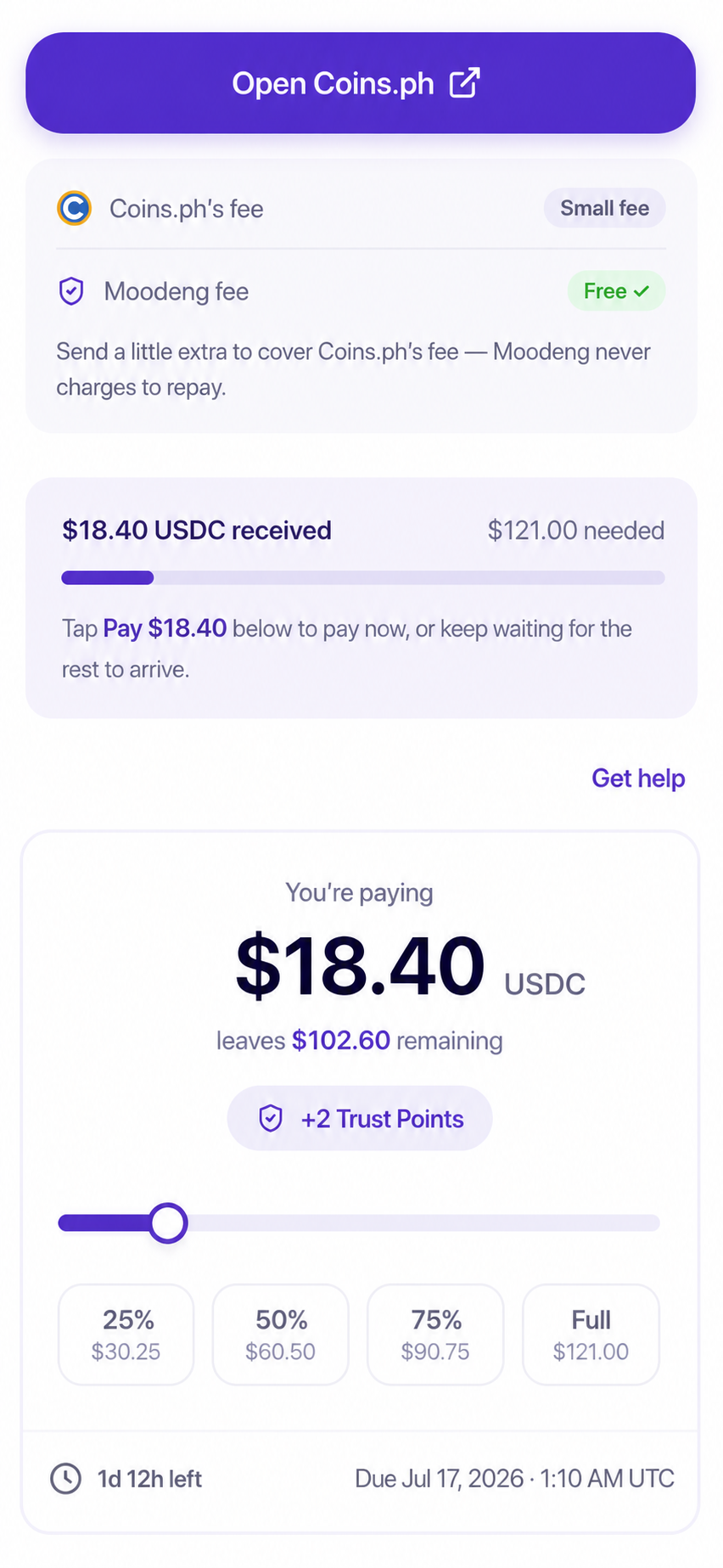
The app shows the wallet address, recommends a source for the region, and repeats the Base-network warning. It also separates the provider’s fee from Moodeng’s repayment fee.

Copy the address from the app. Select Base in the provider and check the address before confirming.

Current Moodeng repay screen showing provider and Moodeng fees, received USDC, remaining need, and a partial payment
Actual add-funds and partial-balance state
03

Choose an amount and see the result first.

Type an amount, drag the slider, or use 25%, 50%, 75%, and Full. Before payment, the screen says whether the loan will clear, what remains, and how many Trust Points the payment can add.

  • Partial payments reduce what remains.
  • Full payment is clearly marked.
  • The due countdown stays beside the control.
Current Moodeng repay slider with 25 percent, 50 percent, 75 percent, and full options
Actual amount and due-date control
04

The outcome becomes part of the record.

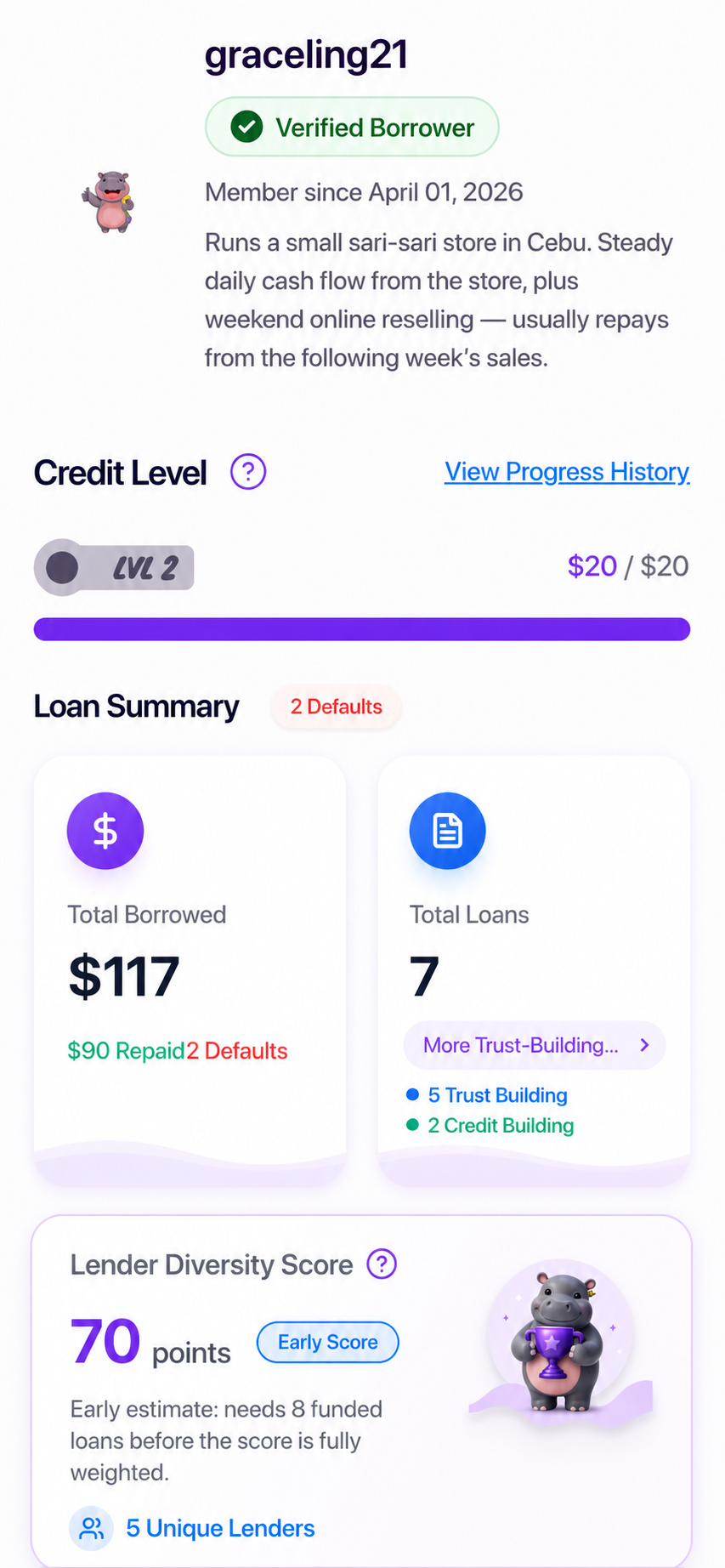
Completed, partial, late, and defaulted outcomes stay visible to future funders. The record is about what happened, not a private profile of the borrower’s life.

Moodeng borrower profile showing credit level and repayment record
Borrower record visible to funders
Illustrative scene of a mother reviewing school enrollment papers at home
Illustrative moment: a school fee due before payday.

When the week changes

A partial payment can be honest without pretending it finished the loan.

The product shows both truths at once: the amount you paid and the amount still due. That is more useful than hiding the control or making a stressed borrower guess what happens next.

If the week changed

Running late does not make you a bad person.

Message Moodeng before the date if you can. The goal is a clear next step, not shame.

  • The amount does not growMoodeng does not add a late fee or rollover price.
  • The record stays honestLate and partial payments remain visible to future funders.
  • Your contacts stay privateWe do not contact family, friends, or coworkers.
  • A person can answerEmail or message support to explain what changed.

Repay questions

Know the consequence before the date arrives.

The amount can stay fixed while the repayment record still matters.

Does paying late affect my record?

Yes. Future funders can see late payments and defaults. The amount does not grow, and finishing late is still better for the record than leaving the loan unpaid.

Can I pay before the due date?

Yes. You can pay early, in parts, or all at once. Moodeng does not add a fee for early repayment.

Do I repay in pesos or USDC?

The repayment happens in USDC inside the app. Use a supported provider route to move pesos back to USDC first.

Can a provider charge for conversion?

An external provider can have its own live conversion rate, network cost, or other terms. Moodeng adds no repayment fee, but you should review the provider screen before converting.

What happens after a default?

The default stays on the Moodeng record and the account is frozen from new borrowing. Moodeng does not contact your personal network or publicly shame you.

That is the loop

Ask. Get funded. Repay. Build the record.

Browse the product before creating an account.